
Invoicing & payments
Invoices that build themselves from finished work
Every visit your crews finish is ready to bill. Invoice per visit or once a month, review the drafts or send them automatically, and let customers pay online or on autopay.
Invoices you create and send are on every plan, Free included. Invoices made and sent automatically, overdue reminders, late fees and the online payments add-on start on Starter.
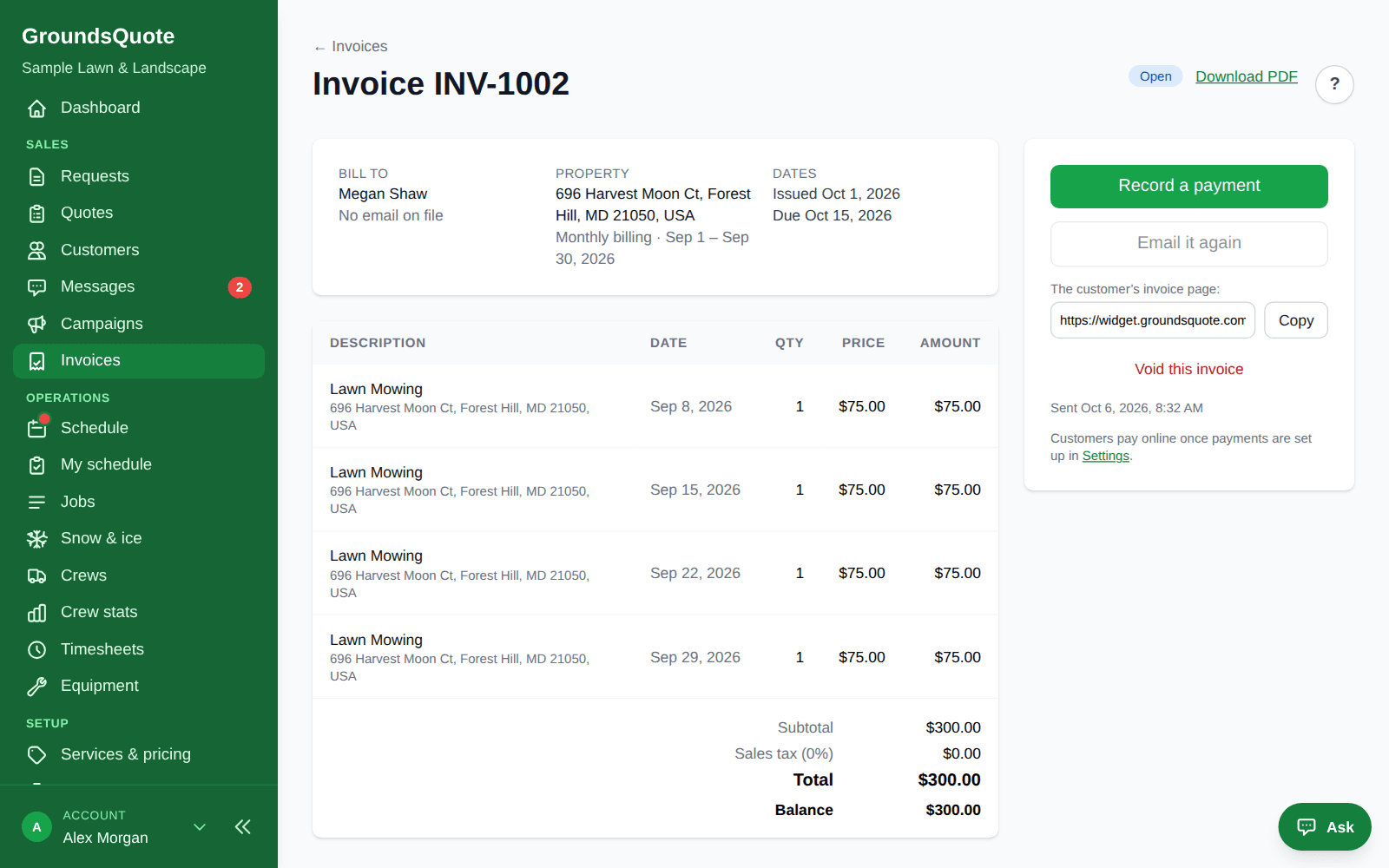
From visits to invoices
Per visit, weekly, monthly, quarterly or yearly, in arrears for the visits done. Every morning, soon after each job (right away, 15 minutes or an hour), or when you press the button.
Paid online
Card, Apple Pay, Google Pay or bank transfer on a Stripe-hosted page. Payouts go straight to your own Stripe account. Online payments are a $19/month add-on, included on Business.
Paid when the job is done
Turn on Charge when the job’s done: the crew finishes, the invoice goes out, the card on file is charged and the receipt is emailed, with nobody typing an invoice.
Overdue reminders and late fees
Reminders the day after the due date and every week after, up to three, and an optional late fee (flat or a percentage) you can waive per invoice.
Sales tax by service, customer and location
Tax by service, by customer (exempt) or by location, and a sales tax report by state, county, city or ZIP.
Snow, fuel and add-ons
Per-push snow pricing, seasonal snow contracts, fuel surcharges, one-time add-ons, materials and mileage billed to the customer land on the right invoice.
Deposits, milestones and time and materials
Take a deposit when a quote is accepted and bill the rest by milestone, or bill by the hour plus materials up to a not-to-exceed amount. On Pro and Business.
One invoice per customer
A customer’s jobs go on one invoice, or split by property or by day. Combine a customer’s drafts in one click, or every customer’s at once.
Tips for the crew
Customers paying online can add a tip, with your choice of percentages and No tip as the starting choice. Tips are kept apart from the invoice and show on the receipt and in your payments export.
Pay over time
Offer Affirm, Klarna and Afterpay on larger invoices, such as projects. You are paid in full and the customer pays the lender in installments.
Statements and aging
A statement of account for any customer, with a running balance, emailed as a PDF, and an aging report of who owes what: current, 1–30, 31–60, 61–90 and over 90 days.
Customer referrals
Customers share their own link from the portal. You choose the reward and the new customer’s welcome credit, and both are taken off their next invoices automatically.
From finished job to money in the bank
Set it once and it runs on its own: the crew presses Finish, the invoice is emailed right away or after a wait you choose (15 minutes or an hour, time to catch a mistake), a customer on autopay is charged by card or bank, the receipt goes out, and the payment is ready for your QuickBooks or Xero export. Prefer to check first? Have invoices made as drafts every morning and send them with one click.
Fees, plainly
Payments run through Stripe Connect on your own account. You pay Stripe’s standard processing fees, and GroundsQuote takes 0.5% of each payment. There is no fee for invoices paid by check or cash, which you record in a click.
Ready for your accountant
Export invoices, payments, customers and items in the layout QuickBooks Online, QuickBooks Desktop and Xero import, on Pro and Business.
From a customer
“The invoicing alone has been worth it. We used to spend Sunday nights figuring out what jobs were completed and sending invoices. Now the work is tracked as it’s done, and billing is practically automatic. Customers can pay online, which is a huge plus.”
Questions
Do I need a Stripe account?
You connect one from Settings in a few minutes on Stripe’s own secure pages. If you do not have one, it is created during setup.
Can customers still pay by check?
Yes. Record a check or cash payment against the invoice and email a receipt.
Works hand in hand with
Customer portal
A branded page where customers answer quotes, pay bills, see visits and ask to skip one.
Projects, proposals & contracts
Proposals customers sign to accept, deposits and payments by milestone, time and materials, sign-off on the job and maintenance contracts that renew.
QuickBooks, Xero & Zapier
Accounting and payroll exports, calendar feeds, live spreadsheet links, an API, webhooks and Zapier.
Free forever plan, no card · 30-day free trial on paid plans · Cancel anytime
Run your whole season from one app
Start free with quotes that measure the lawn from the address. Add scheduling, crews and invoicing when you are ready.
Free forever plan, no card · 30-day free trial on paid plans · Cancel anytime