
For companies with 2–5 crews
Keep every crew busy, on time and on the right route
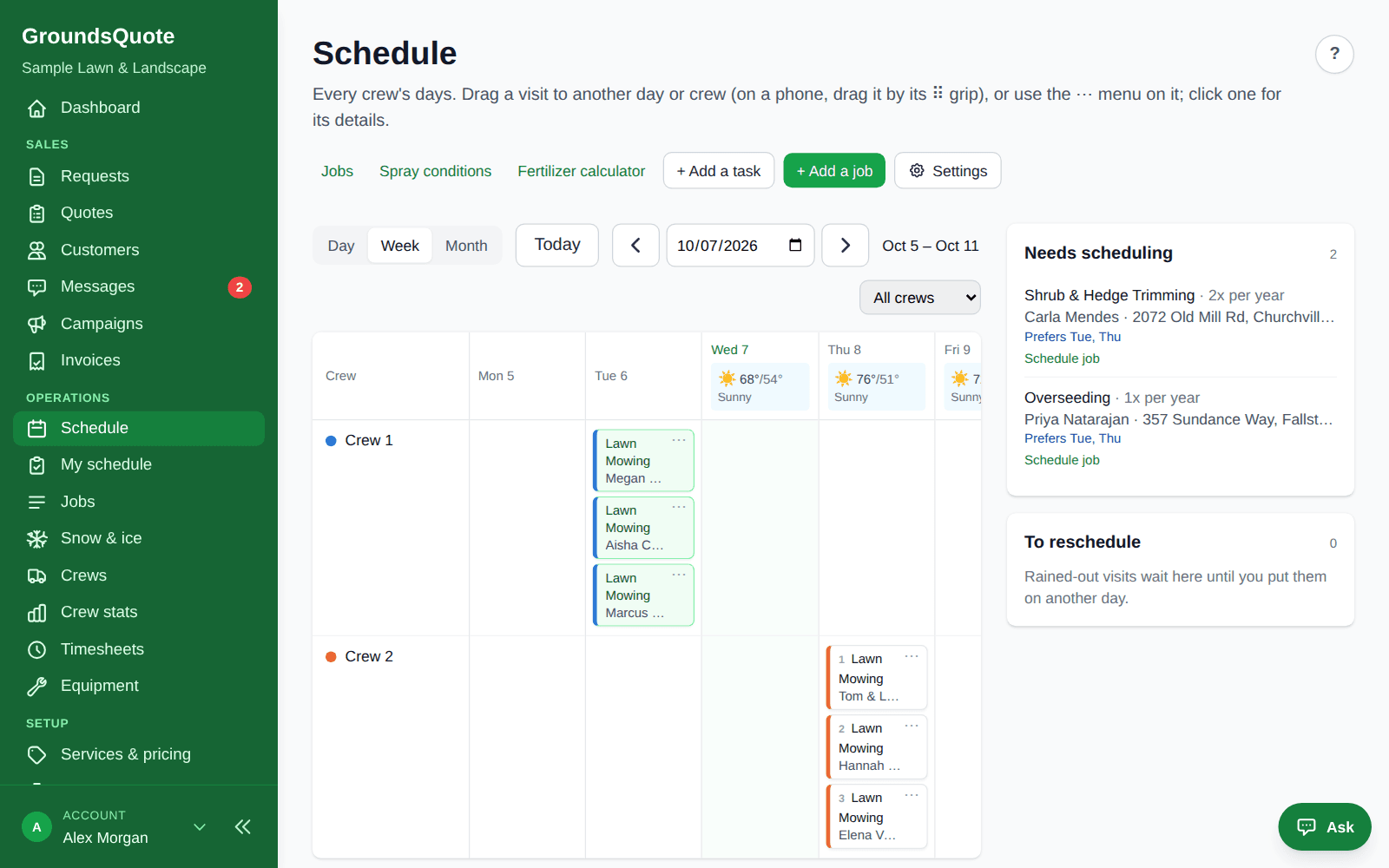
Once there is more than one truck, the work is in the planning. See every crew’s day side by side, optimize the routes, balance the work when a crew runs heavy, and let the crews run their day from their phones.
Free forever plan, no card · 30-day free trial on paid plans · Cancel anytime
Sound familiar?
- Splitting the week between trucks on a whiteboard
- One crew done by two, another working past dark
- Rain days that take an evening of phone calls to re-plan
- Paying per user for every person on a truck
Every crew on one screen
Day, week and month views per crew, with driving times, breaks and what each crew can do.
Routes and balancing
Optimize a crew’s route in one click, or balance the day between crews for the least driving or an even workload.
Timesheets from the phone
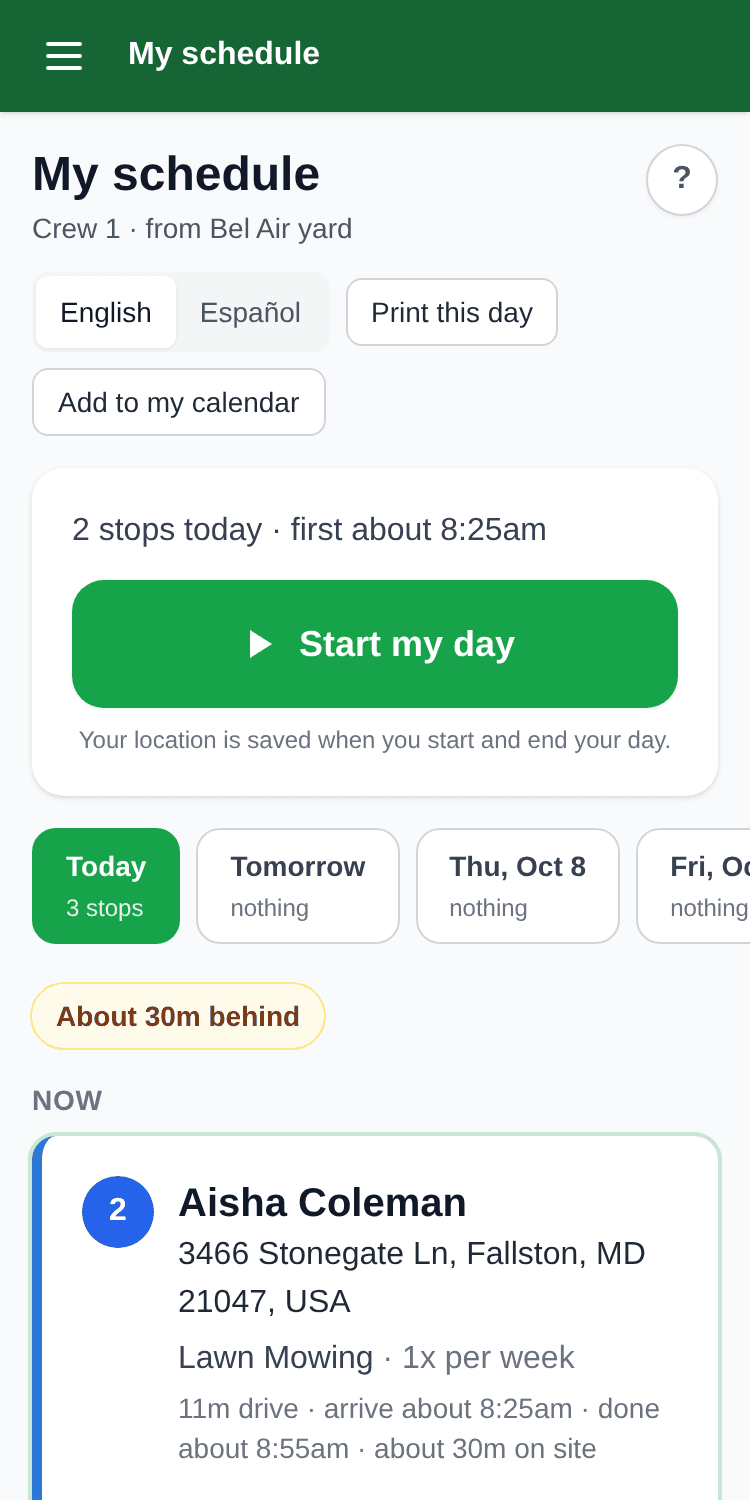
Start my day, breaks and End my day on the crew app, with weekly hours and overtime ready for payroll.
One price, free crew logins
Pro is $129 a month for unlimited crews and three office logins. Everyone on the trucks logs in free.
What you get
Scheduling
Recurring visits that schedule themselves, routes that make sense
An accepted quote becomes a job on the right schedule. Confirm the crew and start date, and GroundsQuote puts twelve weeks of visits on the calendar, in route order, with driving times between stops.
- Jobs from accepted quotes: Weekly, every 2 weeks, monthly or any count per season. The visit pattern follows the season you set.
- Optimize the route: One button orders the day for the least driving, from the yard and back, honoring arrival windows and locked stops.
- Rain-outs in one move: Send a day to the reschedule tray, then place the visits on a new day. Customers expecting the visit are told.
Crew app
Everything the crew needs, nothing they don’t
Crews open My schedule on their phone and see the next stop with big Navigate and Call buttons, the gate code and the dog’s name. One tap for On my way, Start job and Finish job. No prices, ever.
- The next stop, front and center: Address, service, the property’s crew notes and the job’s notes, with Navigate into the phone’s maps app.
- Photos and checklists: Before and after photos from the camera, a checklist per service, a note for the customer. You can require photos to finish a job.
- “Done today” emails: Finishing a job emails the customer with the crew’s note and photos. Spanish notes are translated to English for the customer.
Reports
Know which crews, jobs and customers make you money
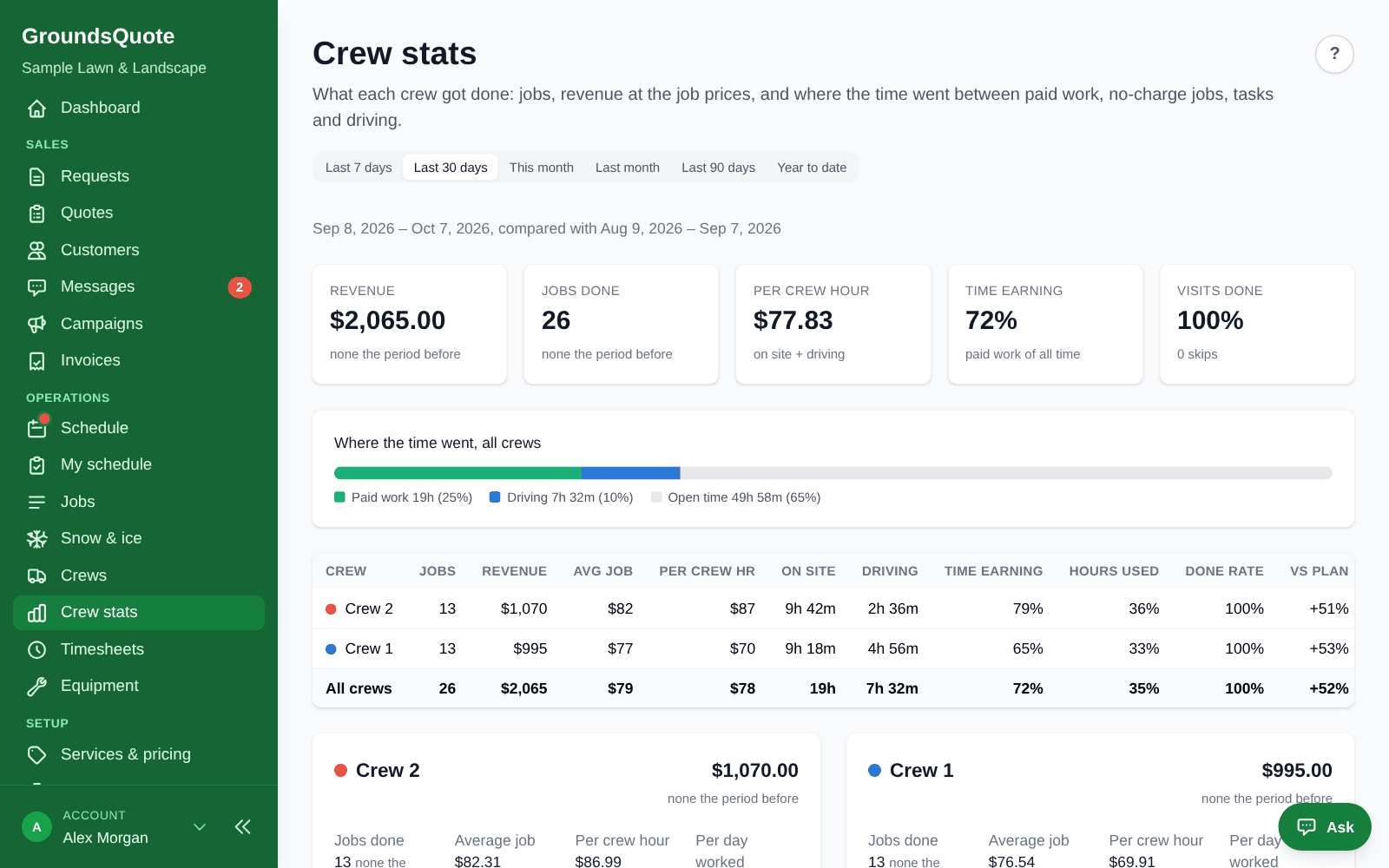
GroundsQuote already knows the price of every visit and when it started and finished. Crew stats turn that into revenue per crew hour, and labor costs turn it into a margin per job.
- Revenue per crew hour: On site plus driving, per crew, with the change against the period before.
- Where the time went: Paid work, no-charge work, tasks, driving and open time, per crew.
- Jobs running long: Jobs, crews and services that keep taking longer or shorter than planned, with the time to use instead.
Invoicing & payments
Invoices that build themselves from finished work
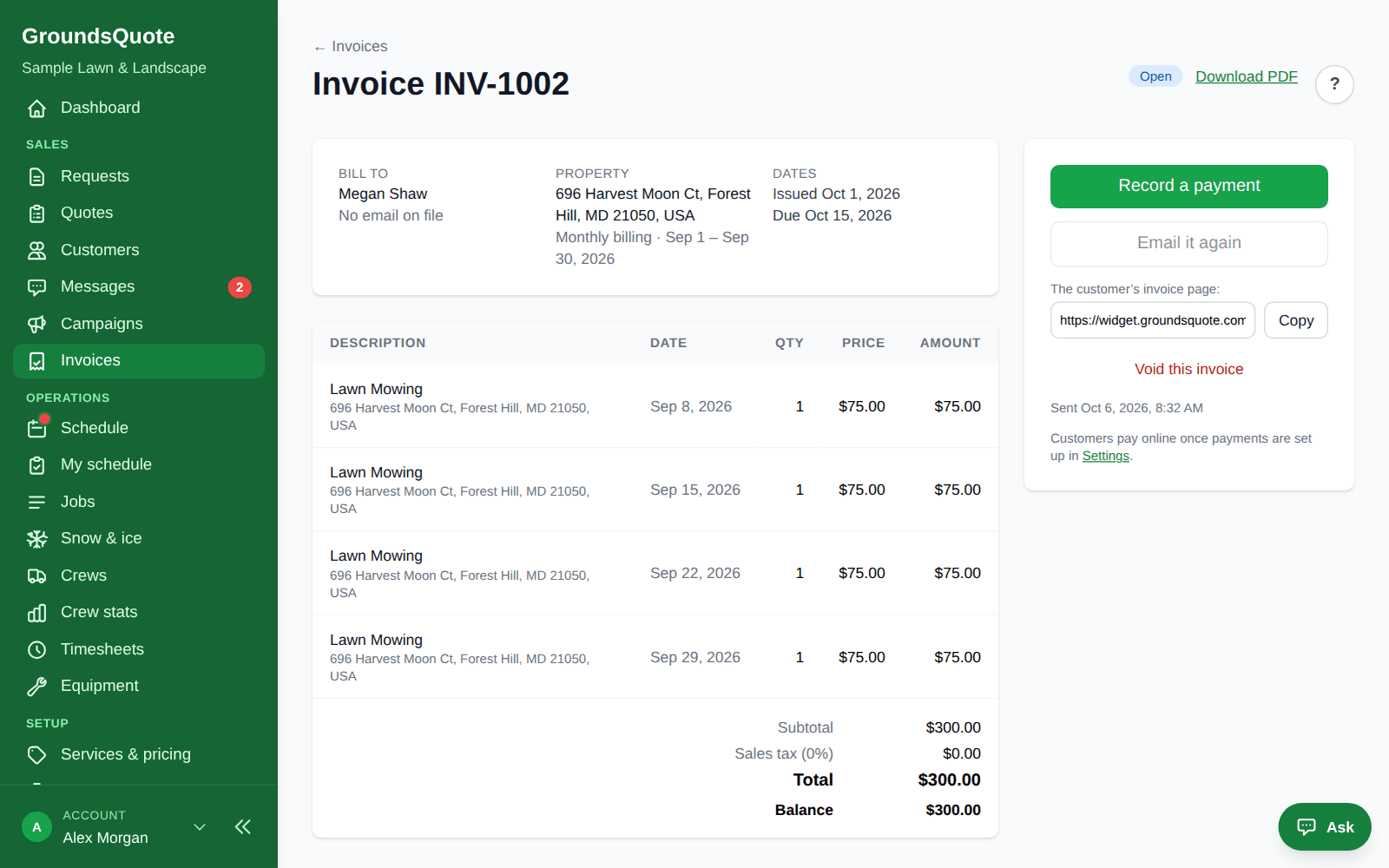
Every visit your crews finish is ready to bill. Invoice per visit or once a month, review the drafts or send them automatically, and let customers pay online or on autopay.
- From visits to invoices: Per visit, weekly, monthly, quarterly or yearly, in arrears for the visits done. Every morning, soon after each job (right away, 15 minutes or an hour), or when you press the button.
- Paid online: Card, Apple Pay, Google Pay or bank transfer on a Stripe-hosted page. Payouts go straight to your own Stripe account.
- Paid when the job is done: Turn on Charge when the job’s done: the crew finishes, the invoice goes out, the card on file is charged and the receipt is emailed, with nobody typing an invoice.
From a customer
“Keeping multiple crews organized used to be one of the biggest headaches of my day, especially when the weather changed our schedule. Now everyone can see their jobs on their phones, and moving things around is much easier. It’s been a big improvement for our day-to-day operations.”
Why we built GroundsQuote
I got my start mowing lawns with my brothers for spending money through high school and college. After that I worked in landscaping professionally, first on a crew and then running crews and managing the people on them.
I eventually moved on to a different career, but I never really left the industry. I kept noticing the same things: quotes that took a drive and a measuring wheel, schedules kept on whiteboards, invoices that went out late. I always wanted to fix them.
So I built GroundsQuote for friends and former colleagues who still run lawn and landscape companies, to take the busywork off their plates. Now I am opening it up to every company that wants to quote faster, run a tighter schedule and grow.
Chad · Founder, GroundsQuote
More about usQuestions
Which plan do 2–5 crews need?
Pro: unlimited crews, route optimization and crew balancing, timesheets, equipment, Messages, chemical records, snow and accounting exports, with three office logins. Starter covers one crew.
Do my crew members each need a paid login?
No. Crew logins are free and unlimited on every paid plan.
Can a crew’s people change by day?
Yes. Set who rides with which crew on each weekday, and time estimates and skills follow the people riding that day.
Run your whole season from one app
Start free with quotes that measure the lawn from the address. Add scheduling, crews and invoicing when you are ready.
Free forever plan, no card · 30-day free trial on paid plans · Cancel anytime