
For landscaping companies
One system for the maintenance route and the install crew
Send a signed proposal for the patio and a contract for the weekly maintenance from the same account. Take the deposit when they accept, schedule installs and recurring visits on one calendar, and bill the rest as the work gets done.
Free forever plan, no card · 30-day free trial on paid plans · Cancel anytime
Sound familiar?
- Estimates in one app, the schedule in another, invoices in a third
- Proposals built in a word processor and signed on paper
- Chasing deposits before the crew can start
- Maintenance contracts that lapse because nobody tracked the renewal date
- No idea which jobs paid for the crew’s time
Proposals signed online
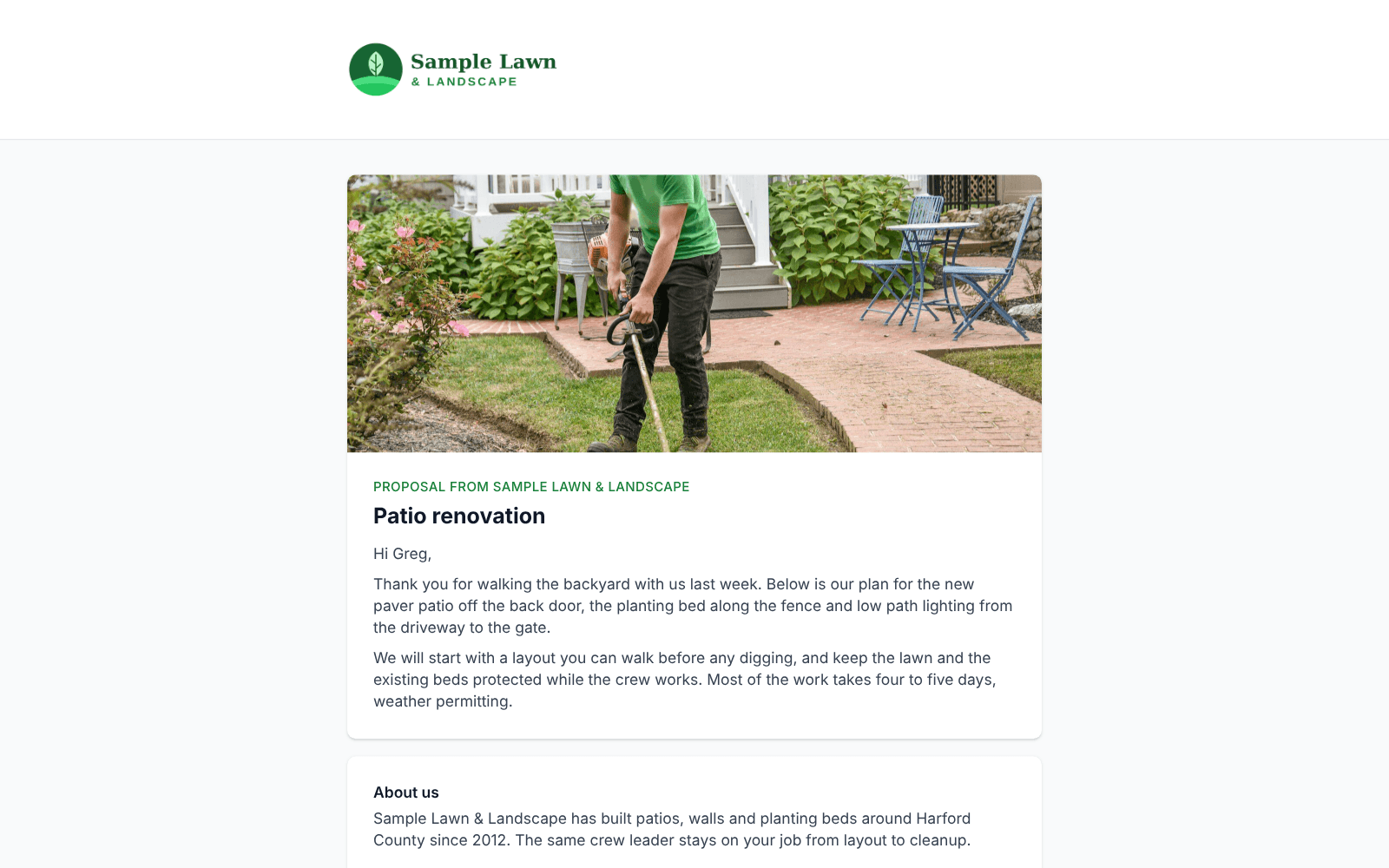
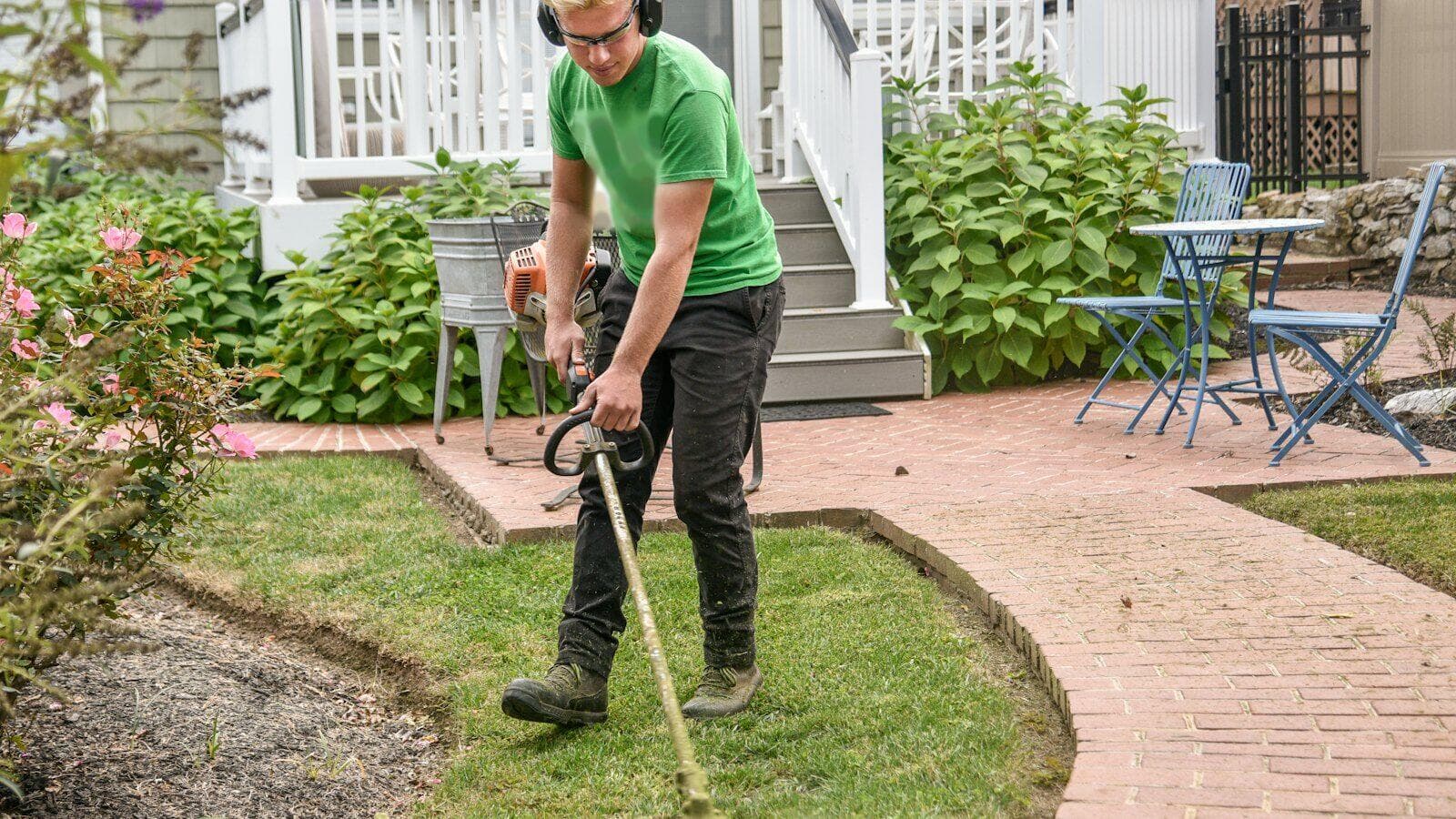
A cover photo, your letter, photos of your work and your warranty around the prices. The customer signs on the quote page, with the date, time and IP address kept.
Deposits and milestones
A deposit taken when they accept, then payments at the start, on a date or at completion, each its own invoice.
Time and materials
Hours and materials recorded by the crew and billed with your markup, up to a not-to-exceed amount.
Beds and mulch from the map
Draw beds on the property map and price by bed area, cubic yards of mulch or feet of edging.
Contracts that renew
Maintenance terms that renew with a price increase or a renewal quote, and a report of what was renewed or lost.
Installs that span days
Split a big job over several days or send a second crew, and have the customer sign off on the crew’s phone when it is done.
What you get
Projects & contracts
From a signed proposal to the last payment
Bigger jobs need more than a price. Send a proposal with your photos and warranty, have the customer sign to accept, take the deposit on the spot, bill the rest as the work gets done, and have them sign off when the crew finishes. Maintenance contracts renew on their own.
- Proposals that sell the job: A cover photo, a letter to the customer, who you are, up to eight photos of earlier work or the site, your warranty and a closing, around the priced quote on the quote page and its PDF.
- Signed to accept: The customer draws or types their signature on the quote page. The date and time, their IP address and browser are kept, and the signature prints on the PDF. Ask for it on projects, on every quote, or per quote.
- Deposits and milestones: A deposit taken when the customer accepts, then payments at the start, on a date, at completion or when you say. Each one is its own invoice, paid online or charged to the card on file.
Instant Quote
A quote form that measures the lawn before you see the request
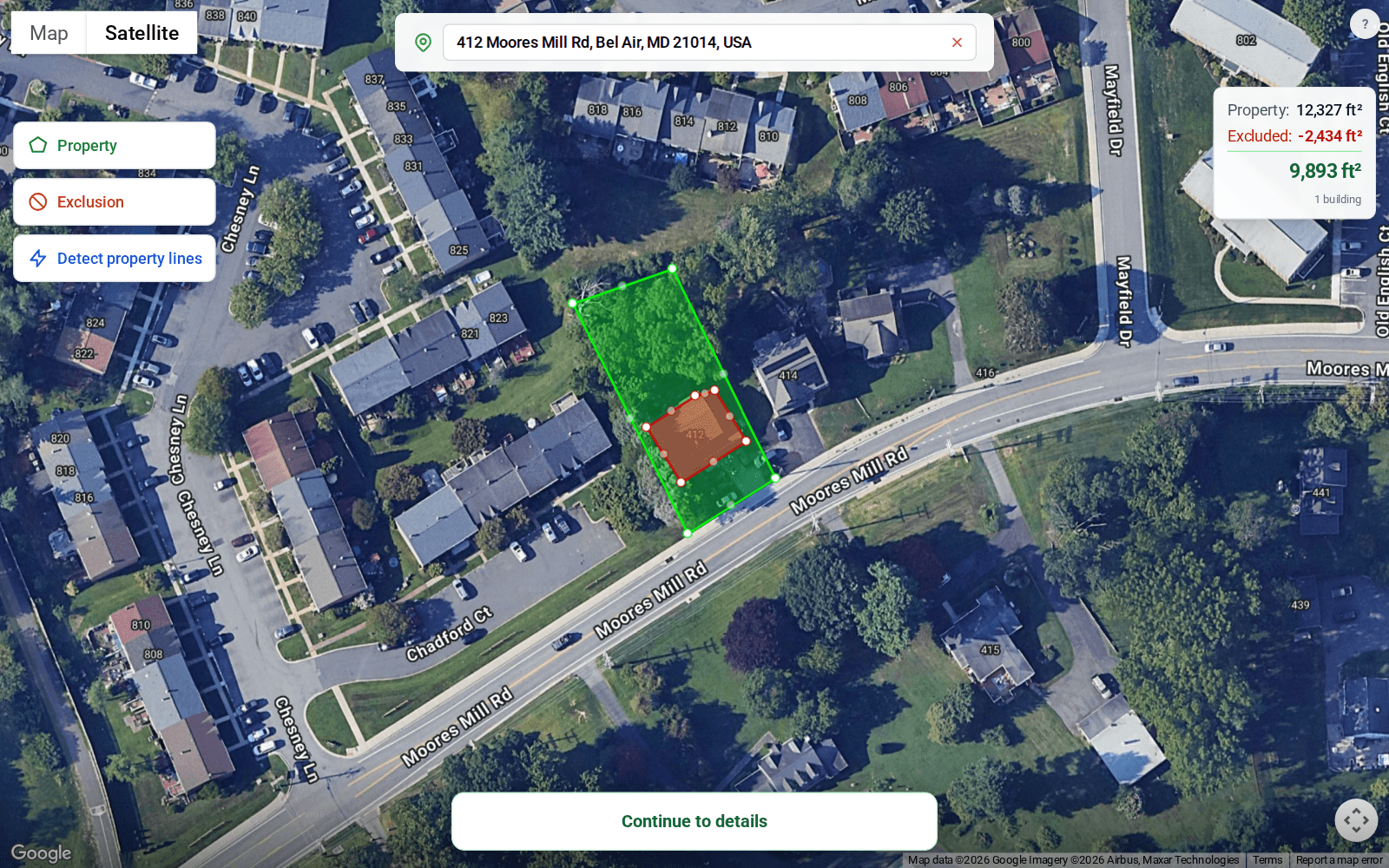
Homeowners type their address into Instant Quote on your website. GroundsQuote traces the property lines, subtracts the house and driveway, measures the lawn in square feet and prices it with your rate card. You get a request you can quote in one click.
- Measured from the address: Property lines traced from the map, buildings found and subtracted automatically. The homeowner can adjust the outline or mark a pool or patio to leave out.
- Priced with your rates: Per acre, by lawn size, by driveway length or per item (shrubs, yards of mulch), with a minimum per visit, trip charges, fuel surcharges, area pricing and rounding. Not sure what to charge? Enter what you would charge at a few lawn sizes and the price calculator sets the rates.
- A suggested price on arrival: Every request lands with a price calculated from your rates, so a quote takes one click instead of a site visit.
Scheduling
Recurring visits that schedule themselves, routes that make sense
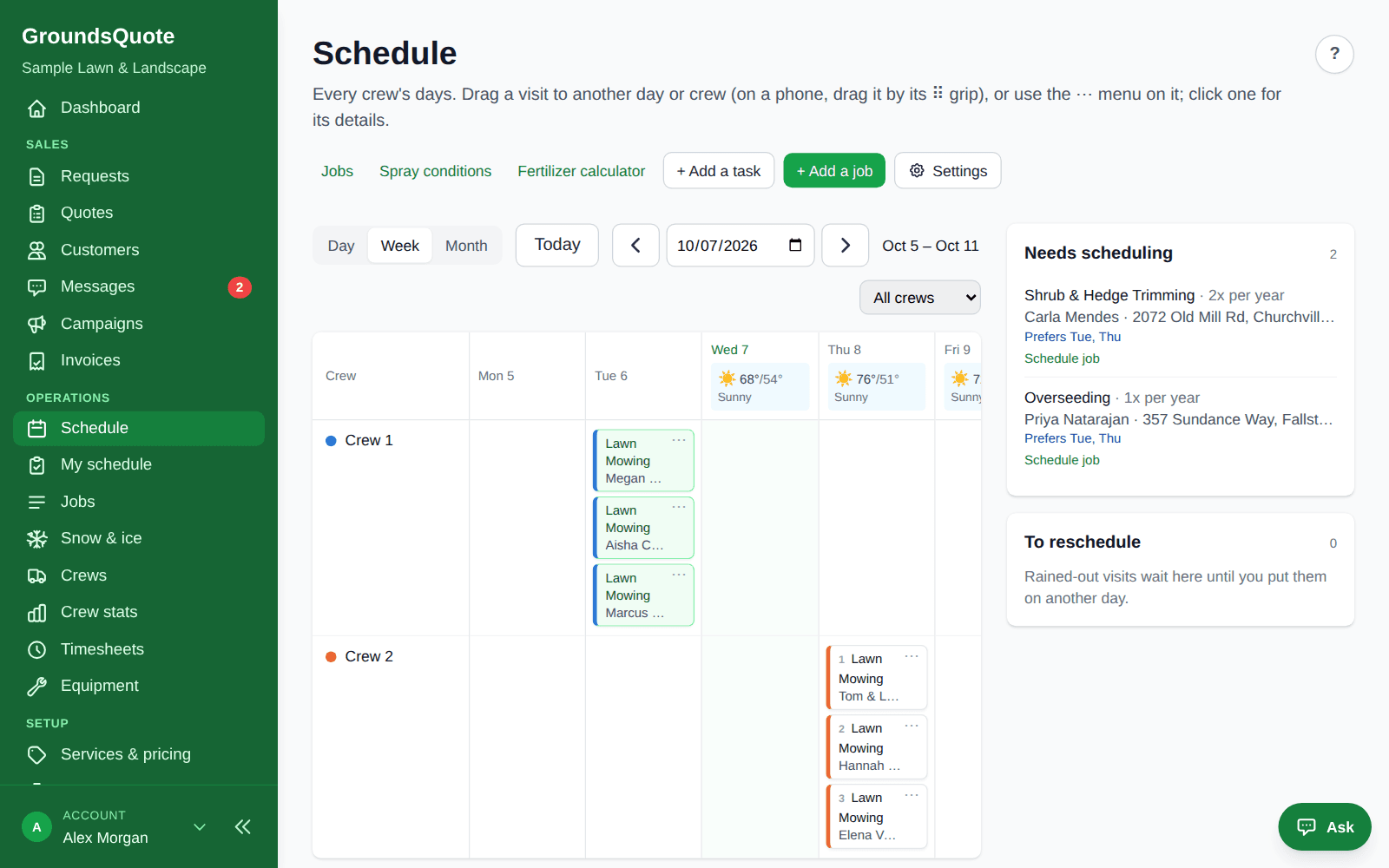
An accepted quote becomes a job on the right schedule. Confirm the crew and start date, and GroundsQuote puts twelve weeks of visits on the calendar, in route order, with driving times between stops.
- Jobs from accepted quotes: Weekly, every 2 weeks, monthly or any count per season. The visit pattern follows the season you set.
- Optimize the route: One button orders the day for the least driving, from the yard and back, honoring arrival windows and locked stops.
- Rain-outs in one move: Send a day to the reschedule tray, then place the visits on a new day. Customers expecting the visit are told.
Reports
Know which crews, jobs and customers make you money
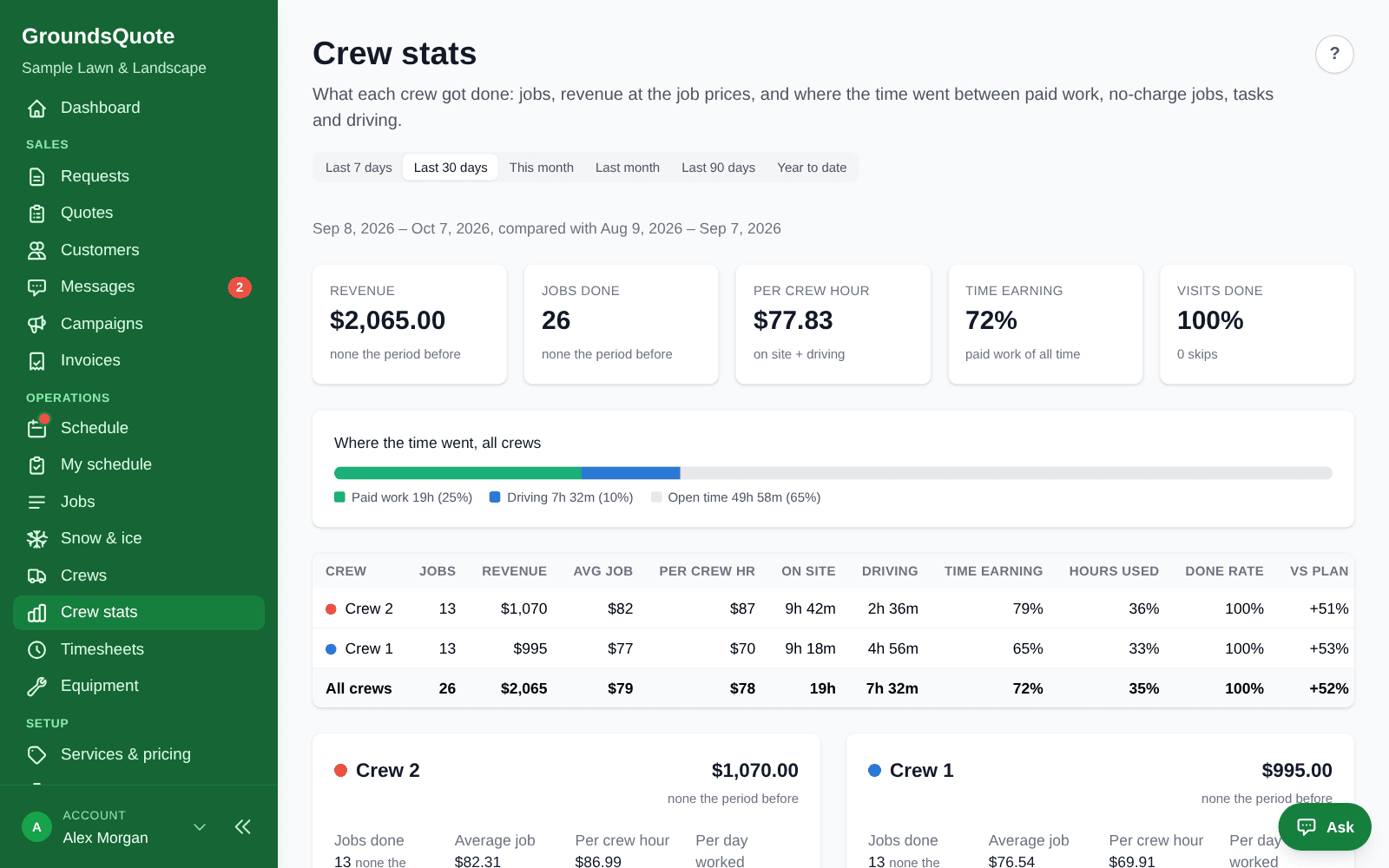
GroundsQuote already knows the price of every visit and when it started and finished. Crew stats turn that into revenue per crew hour, and labor costs turn it into a margin per job.
- Revenue per crew hour: On site plus driving, per crew, with the change against the period before.
- Where the time went: Paid work, no-charge work, tasks, driving and open time, per crew.
- Jobs running long: Jobs, crews and services that keep taking longer or shorter than planned, with the time to use instead.
From a customer
“Before GroundsQuote, we were using different apps for estimates, scheduling, and billing. It was a mess trying to keep everything organized. Having it all in one place has made running the business a lot simpler. I spend less time on paperwork and more time getting work done.”
Why we built GroundsQuote
I got my start mowing lawns with my brothers for spending money through high school and college. After that I worked in landscaping professionally, first on a crew and then running crews and managing the people on them.
I eventually moved on to a different career, but I never really left the industry. I kept noticing the same things: quotes that took a drive and a measuring wheel, schedules kept on whiteboards, invoices that went out late. I always wanted to fix them.
So I built GroundsQuote for friends and former colleagues who still run lawn and landscape companies, to take the paperwork off their hands. Now I am opening it up to every company that wants to quote faster, run a tighter schedule and grow.
Chad · Founder, GroundsQuote
More about usQuestions
Can I quote work that is not priced by lawn size?
Yes. Price by bed area, mulch yards or edging feet from beds drawn on the map, per item (shrubs, trees), flat, or by time and materials, and add custom items with your own price.
Can customers sign a proposal online?
Yes, on Pro and Business. They draw or type their signature on the quote page when they accept, and it prints on the PDF.
Can I take a deposit?
Yes, on Pro and Business. Set a deposit and payments by milestone on the quote; the deposit invoice goes out the moment the customer accepts, and they can pay it right away.
Does it handle annual maintenance contracts?
Yes. Give a quote a term and choose whether it renews automatically with a price increase or sends a renewal quote. GroundsQuote tracks the renewal dates and tells you about contracts that were declined or not answered.
Run your whole season from one app
Start free with quotes that measure the lawn from the address. Add scheduling, crews and invoicing when you are ready.
Free forever plan, no card · 30-day free trial on paid plans · Cancel anytime