
Scheduling
Recurring visits that schedule themselves, routes that make sense
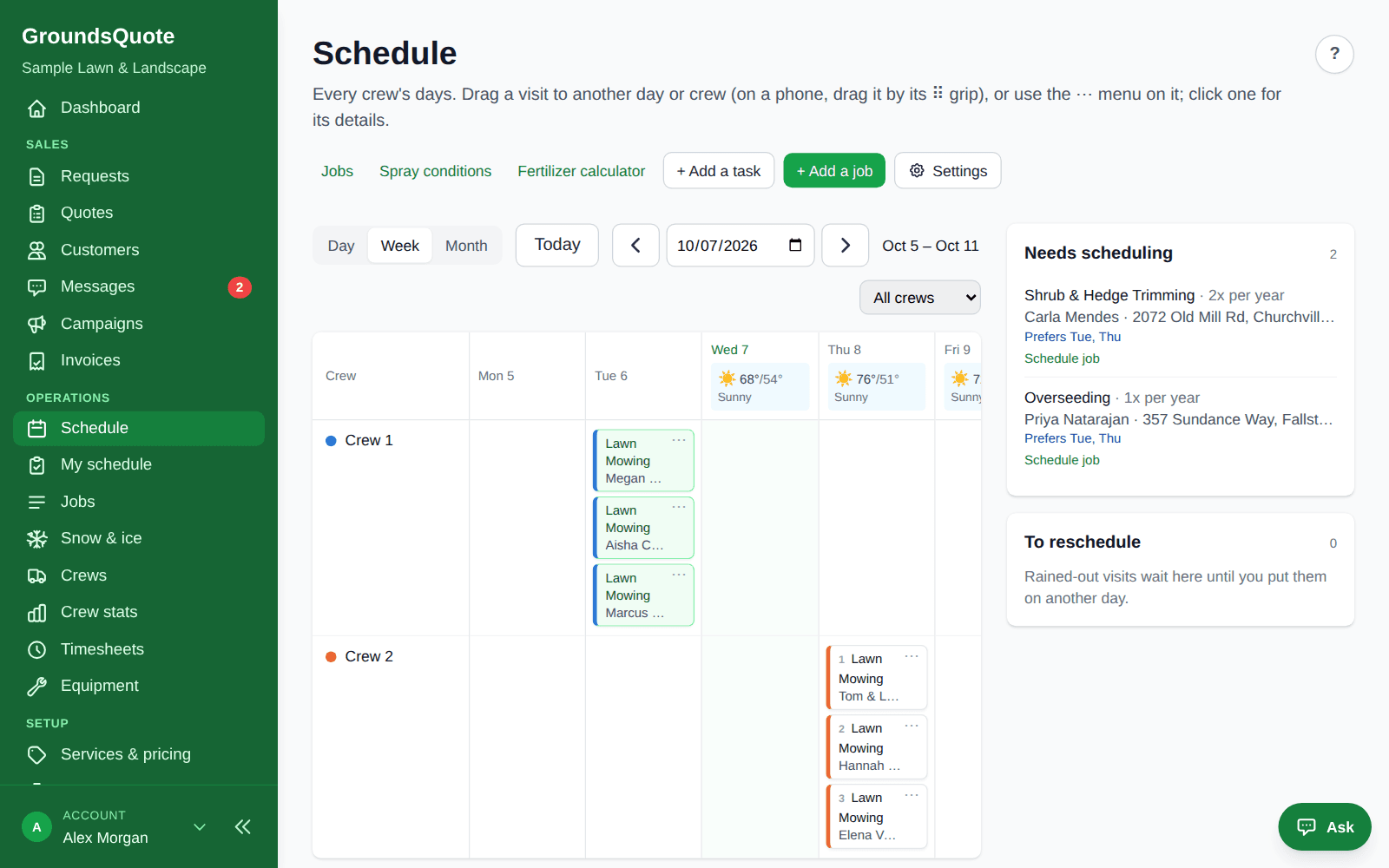
An accepted quote becomes a job on the right schedule. Confirm the crew and start date, and GroundsQuote puts twelve weeks of visits on the calendar, in route order, with driving times between stops.
Scheduling for one crew on every plan, Free included; unlimited crews and route optimization on Pro and Business.
Jobs from accepted quotes
Weekly, every 2 weeks, monthly or any count per season. The visit pattern follows the season you set.
Optimize the route
One button orders the day for the least driving, from the yard and back, honoring arrival windows and locked stops.
Rain-outs in one move
Send a day to the reschedule tray, then place the visits on a new day. Customers expecting the visit are told.
Crews and skills
Who rides with which crew on which weekday, what each person can do, and a warning when a job lands on a crew nobody can do it with.
Time estimates that learn
Time on site from lawn size, crew size and your production rates, with suggestions when jobs keep running long or short.
Day, week and month views
Drag jobs between days and crews on desktop or touch screens, print a day sheet, and see the weather on every day.
Zones by weekday
Work the north side on Mondays and the south side on Thursdays: set zones by ZIP code, town, county or a drawn area, and suggestions and auto schedule put jobs on their zone’s days, as a preference or a firm rule.
Crew map
Every job of the day or the week on one map, colored by crew with each crew’s route drawn, filtered by crew, service and done or open. Optionally see where the crews are while their schedule is open.
Built around how lawn care days really go
Jobs at the same property stay one stop. Lunch and breaks are planned into the day. A big job can be split over several days or shared with a second crew. Internal tasks such as a supplier run take crew time without a customer.
- Customers’ preferred days from the quote, shown when you schedule
- Blackout days the customer adds from their portal
- Pause a customer’s service for a vacation and it resumes by itself
- Jobs not marked done are flagged the next morning
Reminders that go out when the schedule is final
Customers get a “coming tomorrow” or “coming today” email at the time you choose. You can make reminders wait until you press Finalize on the day, so a late change never sends the wrong day.
From a customer
“Keeping multiple crews organized used to be one of the biggest headaches of my day, especially when the weather changed our schedule. Now everyone can see their jobs on their phones, and moving things around is much easier. It’s been a big improvement for our day-to-day operations.”
Questions
Does route optimization cost extra?
No. It is included on Pro and Business. Driving times come from real road data, with straight-line estimates as a fallback.
Can I schedule a job that did not come from a quote?
Yes. Add a job by hand for any customer, with a price or as a no-charge job, once or on a schedule.
Works hand in hand with
Crew app & time tracking
The day on a phone: the next stop, navigation, checklists, photos and the clock, in English or Spanish.
Invoicing & payments
Invoices built from finished visits, emailed with a PDF, paid online or by autopay.
Crew stats & job profit
Revenue per crew hour, time on site against plan, labor costs and margin by job, crew and customer.
Free forever plan, no card · 30-day free trial on paid plans · Cancel anytime
Run your whole season from one app
Start free with quotes that measure the lawn from the address. Add scheduling, crews and invoicing when you are ready.
Free forever plan, no card · 30-day free trial on paid plans · Cancel anytime